To check company master data on MCA, log in to mca.gov.in, open MCA Services → Master Data → Master Data Services, search by company name or CIN, enter the captcha and select the company from the results. The lookup is free.
Master data is MCA’s registry summary: a company’s status, registered address, capital and latest annual filing dates. It reflects information filed with MCA, so some details may be older than others.
Download every document of a company in one go, sorted into folders.
Add to ChromeFirst two companies freeHow to check company master data on MCA
- Log in to MCA. A free Registered User account is enough. If you need one, follow how to make an MCA ID.
- Open Master Data Services. Go to MCA Services → Master Data → Master Data Services.
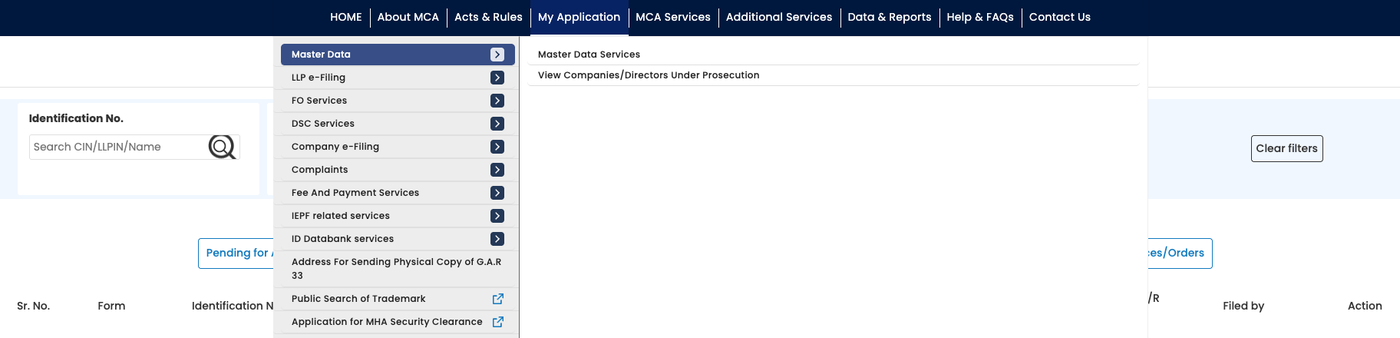
MCA’s menu: Master Data, then Master Data Services. - Choose Company/LLP and search by name or CIN. CIN means Corporate Identity Number. Enter the name or number, then click search; there is no suggestion list.

The search box, with Company/LLP chosen. - Enter the search captcha. This is separate from the login captcha. Match the letters’ case and submit.
- Select the company name. Check its CIN, state and status in the results before opening the record.
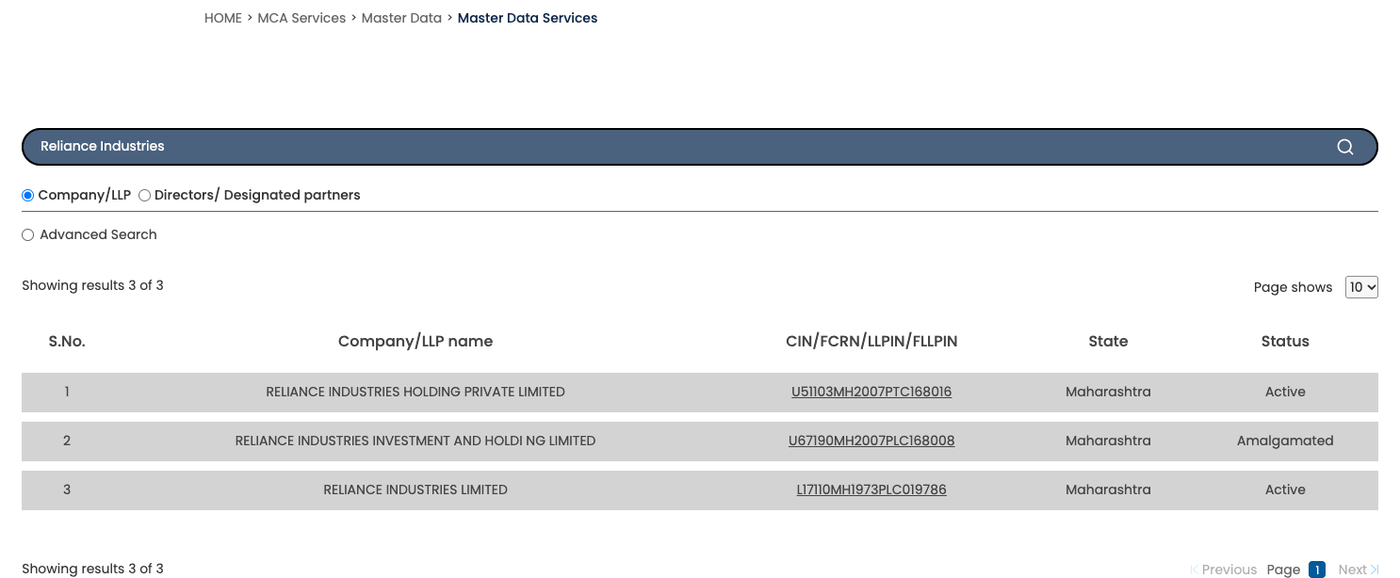
The results list: name, CIN, state and status.
Download every document of a company in one go, sorted into folders.
Add to ChromeFirst two companies freeWhat company master data shows
| Field | What to read it for |
|---|---|
| CIN, company name and ROC | The company’s identity and its Registrar of Companies. |
| Incorporation date, category and class | When it was registered and what kind of company it is. |
| Registered address and email | Its registered contact details. |
| Authorised capital | The maximum share capital permitted by its memorandum. |
| Paid-up capital | Share capital paid or credited as paid on issued shares. |
| Company status | Whether MCA records it as active, struck off or another status. |
| Date of last AGM | The latest annual general meeting recorded by MCA. |
| Date of balance sheet | The financial year-end of the latest accounts reflected in the record. |
| Small company | MCA’s recorded classification; check its currency before relying on it. |
| ACTIVE compliance | Whether the company has filed its ACTIVE form (INC-22A). A separate field from Company Status. |
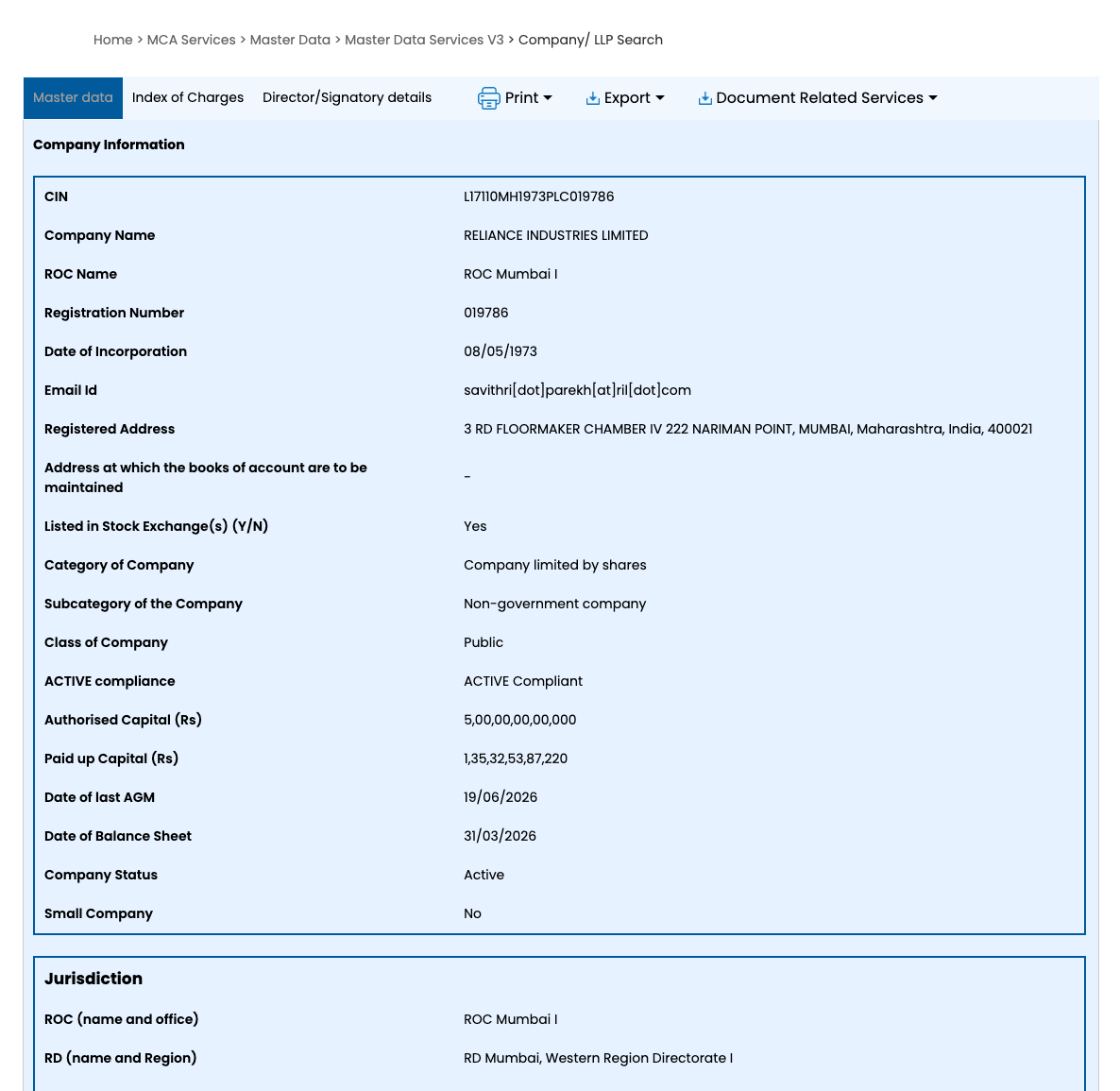
Charges and directors: the other two tabs
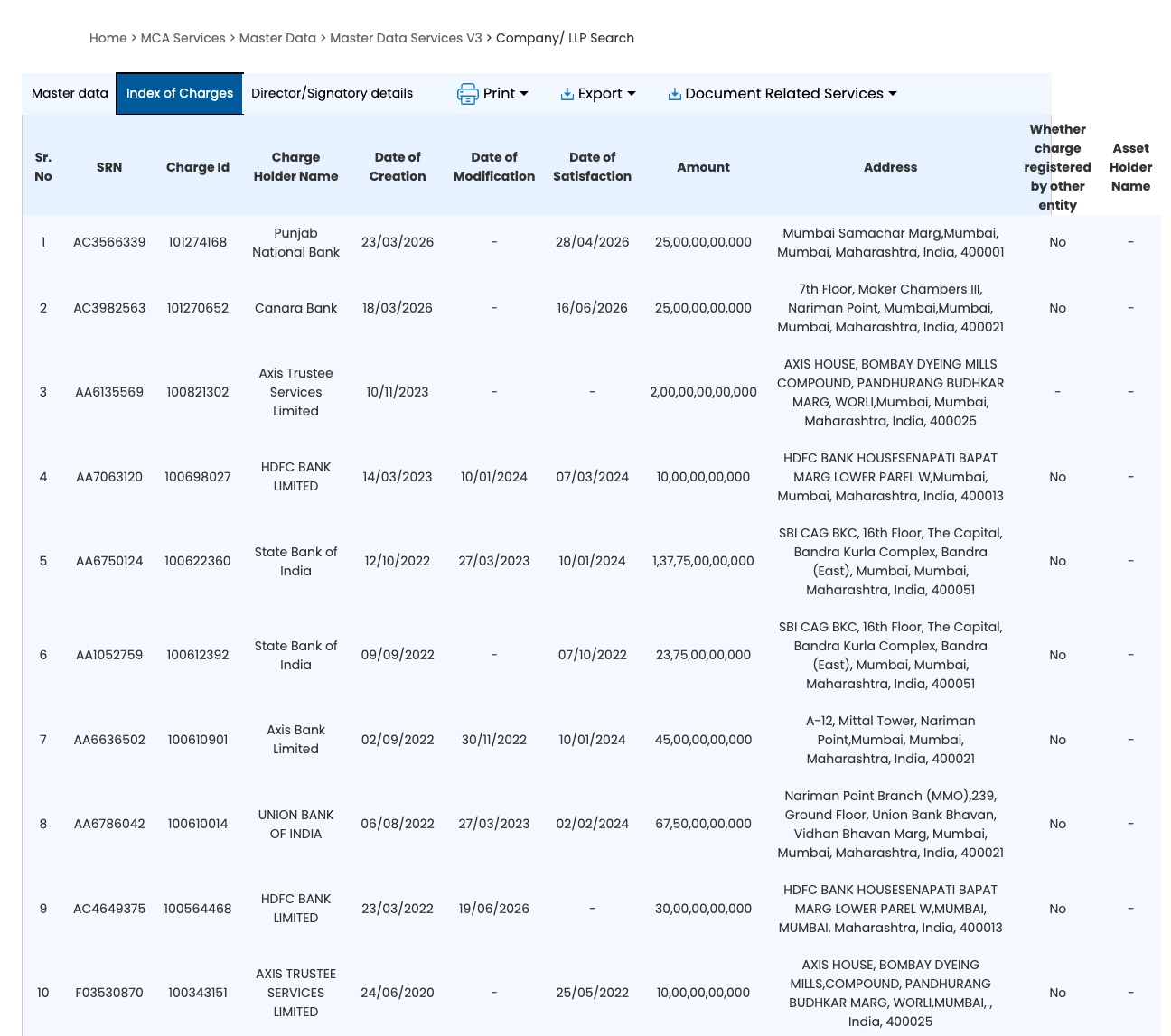
A company’s record has three tabs: Master data, Index of Charges and Director/Signatory details.
Index of Charges lists every charge registered against the company, including those already satisfied, with the charge ID, charge holder, amount and the dates of creation, modification and satisfaction. More on reading it: how to check charges on a company.
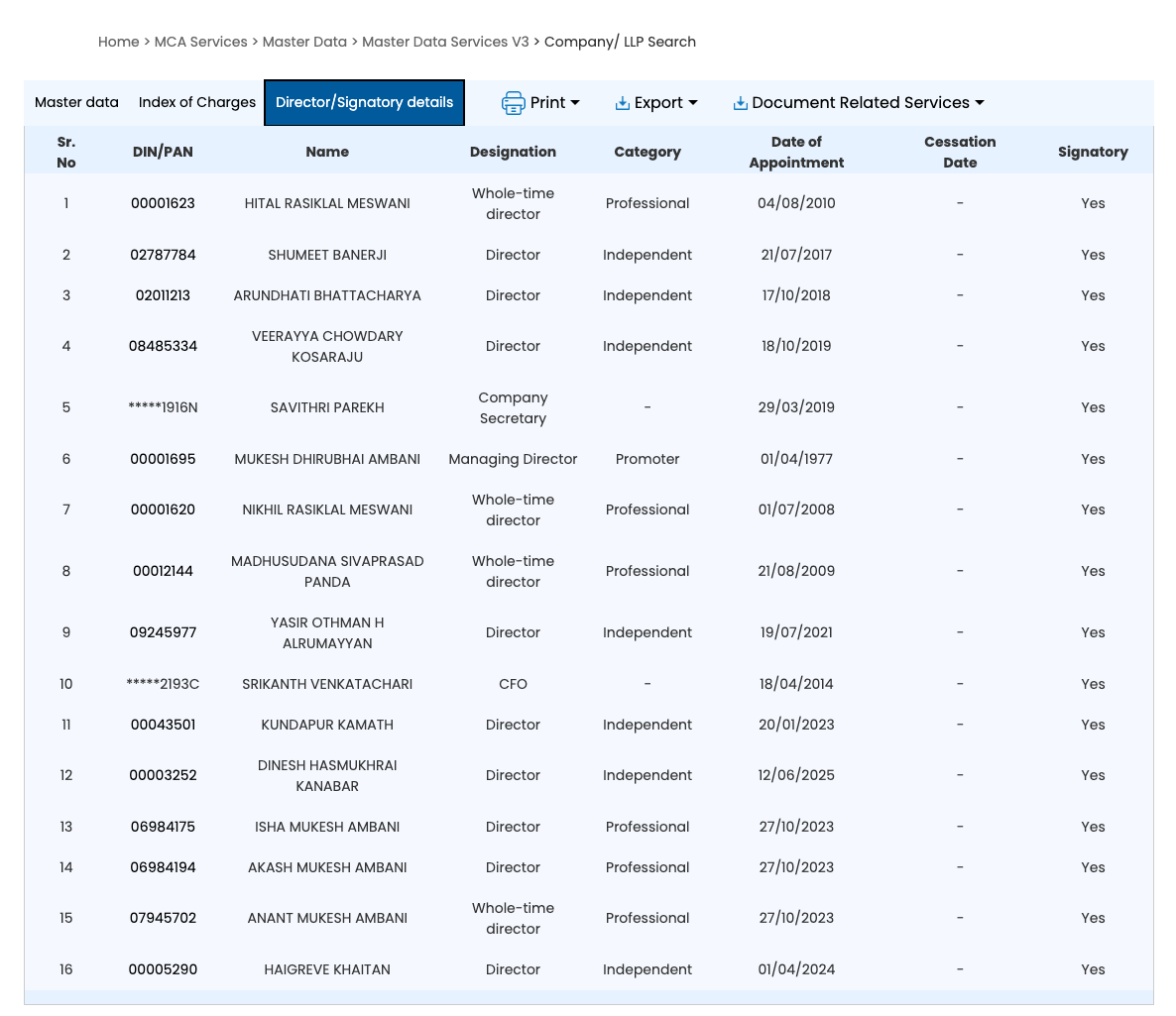
Director/Signatory details lists the company’s current directors and key managerial people, with each one’s DIN (or a masked PAN), designation and date of appointment. Click a DIN to open that director’s own master data: every company and LLP they are or were connected with.
Check the dates before relying on the record
Master data mixes the latest registry values with information from earlier financial years. The balance sheet date is a financial year-end, not the date the accounts were filed. It helps you judge how old the financial information is.
Do not assume the small-company flag establishes the company’s classification for the current year, or that an older balance sheet date alone proves a missed filing deadline.
What company status means
| Status | What it means |
|---|---|
| Active | On the register as active; this alone does not establish that every filing is up to date. |
| Under process of striking off | Removal from the register has begun. |
| Strike off | Its name has been removed from the register. |
| Dormant | Registered with dormant status under section 455 of the Companies Act. |
| Under liquidation / liquidated | Being wound up / recorded as liquidated. |
| Amalgamated | Merged into another company. |
| Converted to LLP | Converted from a company into an LLP. |
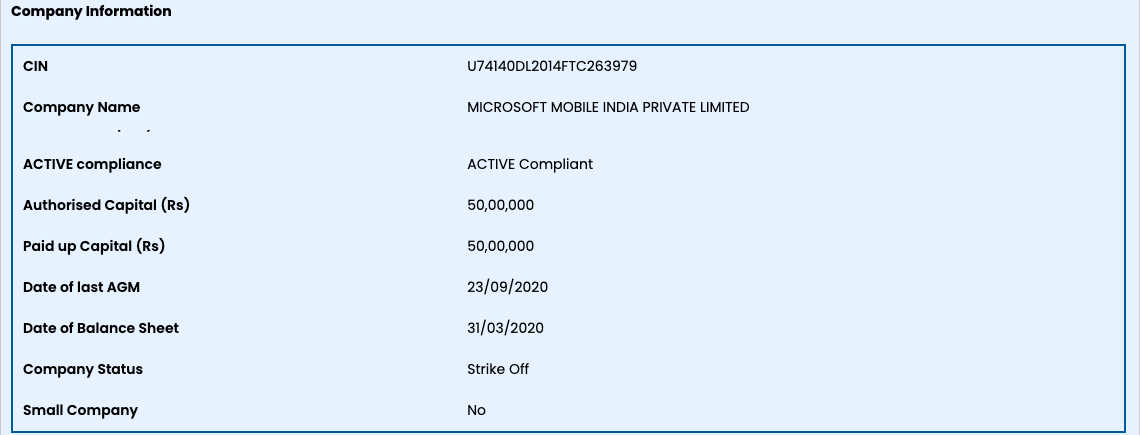
ACTIVE compliance is a separate field, and the two can disagree. Microsoft Mobile India’s status is Strike Off, while its ACTIVE compliance still reads ACTIVE Compliant.
How to check LLP master data
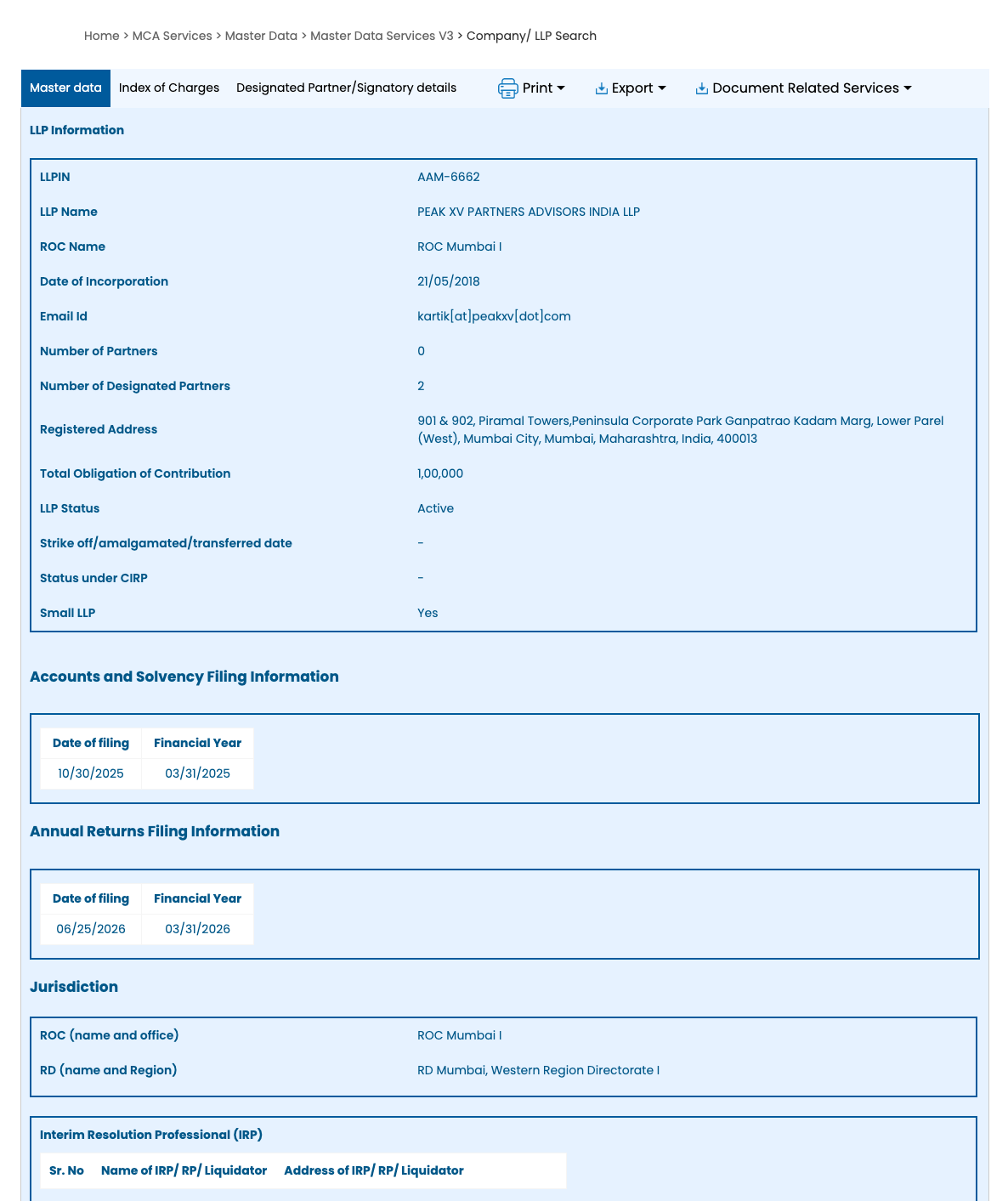
Choose LLP instead of Company and search by its name or LLPIN (Limited Liability Partnership Identification Number). An LLP’s record uses partner and contribution details rather than company share capital: the number of partners and designated partners, the total obligation of contribution and the LLP status. Two tables show its latest filings, Accounts and Solvency Filing Information (Form 8) and Annual Returns Filing Information (Form 11), each with the date of filing and the financial year. Those two tables write dates month first (MM/DD/YYYY), unlike the rest of the record. Its people are under Designated Partner/Signatory details.
When you need the filed documents
Master data does not contain the full financial statements or shareholder list. For turnover and profit, read the company’s financial statements. To access the filings, use how to download company or LLP documents from MCA; View Public Documents costs ₹100 per company.
Download every document of a company in one go, sorted into folders.
Add to ChromeFirst two companies freeFAQ
Is company master data free on MCA?
Company master data on MCA is free to view with a free Registered User account. Search by name or CIN, enter the captcha and select the company from the results. The fee for View Public Documents is separate: that service gives you access to the company’s filed documents.
Can I check company master data without logging in?
MCA’s View Company/LLP Master Data service requires a login in the portal flow we checked. If you open it without an active session, MCA redirects you to the login page. A free Registered User account is enough to view another company’s master data; you do not need to represent it.
How do I check if a company is active or struck off?
To check whether a company is active or struck off, open its MCA master data and read Company Status. Match the CIN so you have the right company. An Active status alone does not establish that its annual filings are up to date; review the filing information separately.
How do I find a company's directors on MCA?
To find a company’s directors on MCA, open its master data and choose the Director/Signatory details tab. It lists the current directors with their DIN, designation and date of appointment. Click a DIN to see every company and LLP that director is or was connected with, including past roles and their cessation dates.
What is the date of balance sheet in MCA master data?
The date of balance sheet in MCA master data is the financial year-end of the latest accounts reflected in the record. It is not the submission date. An older date calls for checking the company’s filing history and applicable deadlines before concluding that annual accounts have not been filed.
Sources: MCA’s Master Data Services, checked on mca.gov.in. ROCwork is a product of Consara Technologies Private Limited and is not affiliated with the Ministry of Corporate Affairs.