A company’s MCA user ID is its CIN (an LLP’s is its LLPIN), not an email address. But the login does not come with incorporation: someone has to register the company on MCA as a Business User. Registration is free and needs three OTPs, two to the company’s own mobile and email and one to a director.
If MCA does not accept your company’s CIN at login, the company most likely has no login yet. Register it once, below, and the CIN becomes its user ID.
Download every document of a company in one go, sorted into folders.
Add to ChromeFirst two companies freeWhat is a company’s user ID on MCA?
The company’s CIN. MCA’s login box says so: “User ID (CIN/LLPIN/FCRN for Company/LLP and Email ID for other users)”. If the company’s CIN has changed, for example after it converted from private to public, use the latest one.
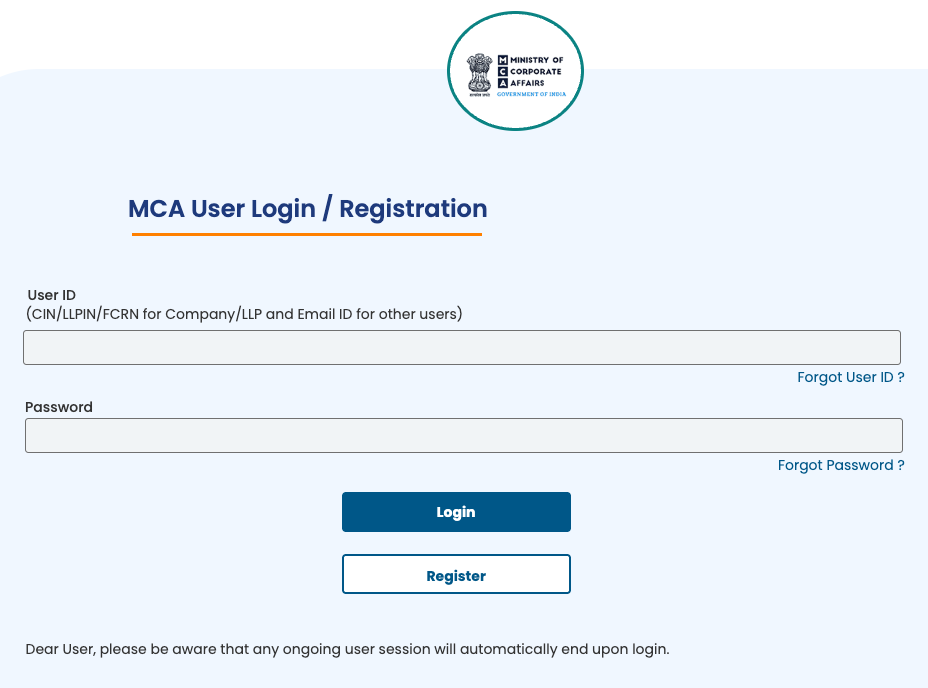
How to register your company on MCA
Have these ready before you start:
- The company’s CIN and its PAN.
- The mobile number and email that will receive the company’s OTPs.
- A director who can receive an OTP on the email or mobile linked to their DIN.
- Open the registration form. On mca.gov.in, click Sign In / Sign Up, then Register. The form has four tabs: User Category, Personal Details, Contact Details and Login Details.
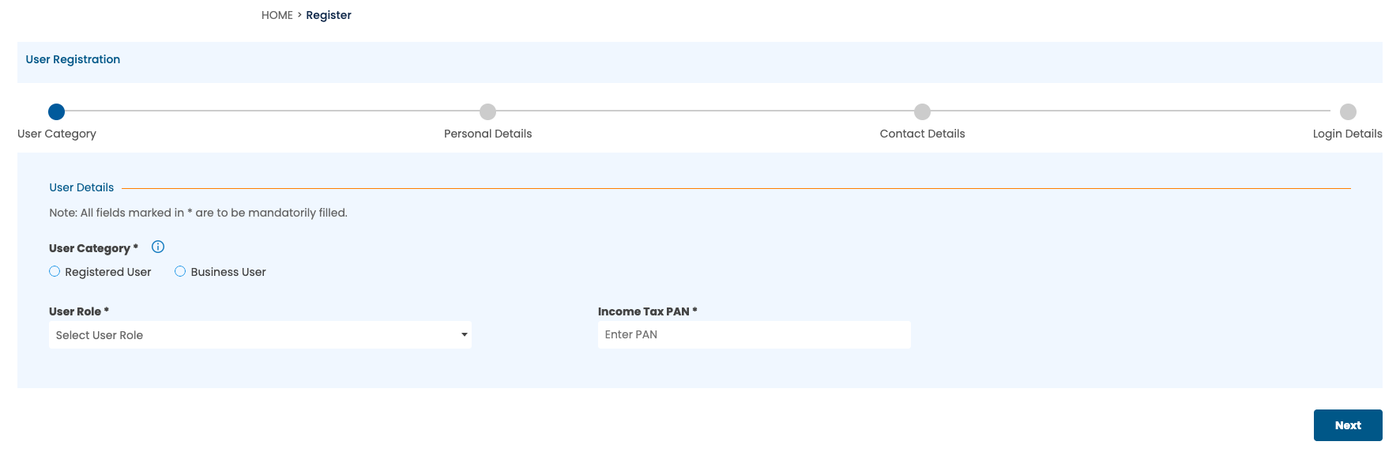
The four tabs of MCA’s registration form. - User Category. Choose Business User, then the role Company/LLP, and enter the company’s PAN under Income Tax PAN.
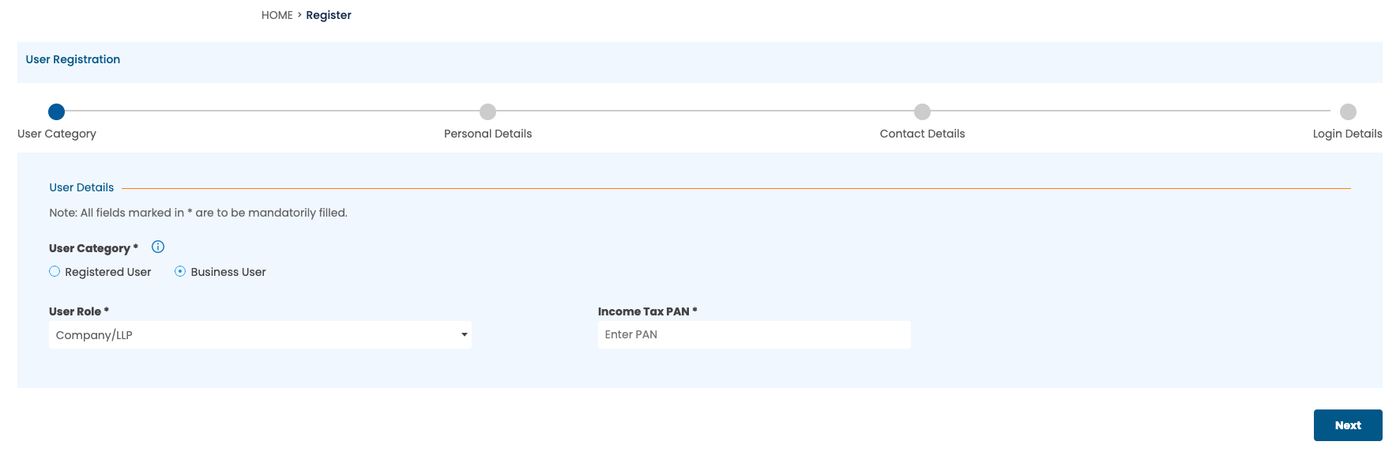
Business User, with the role Company/LLP and the company’s PAN. - Personal Details. Enter the CIN. The company’s name, as per its PAN, and its date of incorporation fill in by themselves.
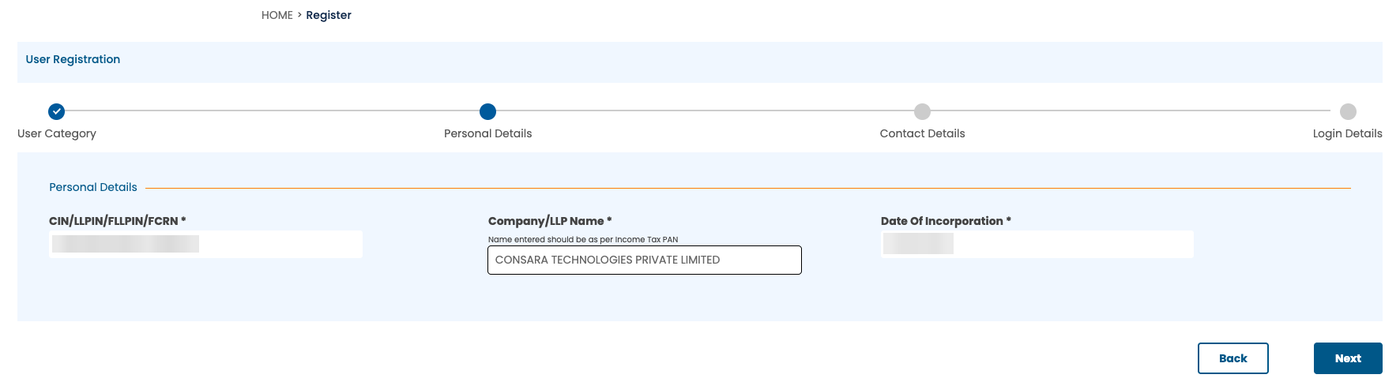
The CIN entered; name and date of incorporation filled in from it. Details blurred. - Contact Details. Enter the company’s mobile and email, then choose the director whose OTP will confirm the registration. The list shows the company’s directors.
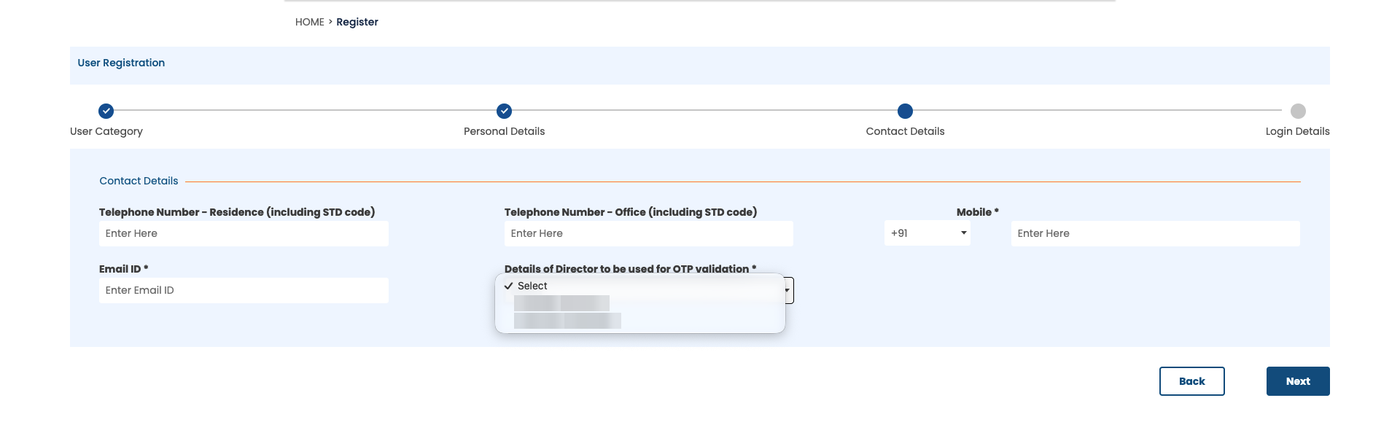
Choosing the director for OTP validation. Names blurred. - Login Details. Set a password of 6 to 15 characters, with letters, numbers and at least one special character. It is case-sensitive. Choose whether you want SMS alerts, then click Create My Account, which accepts MCA’s terms.
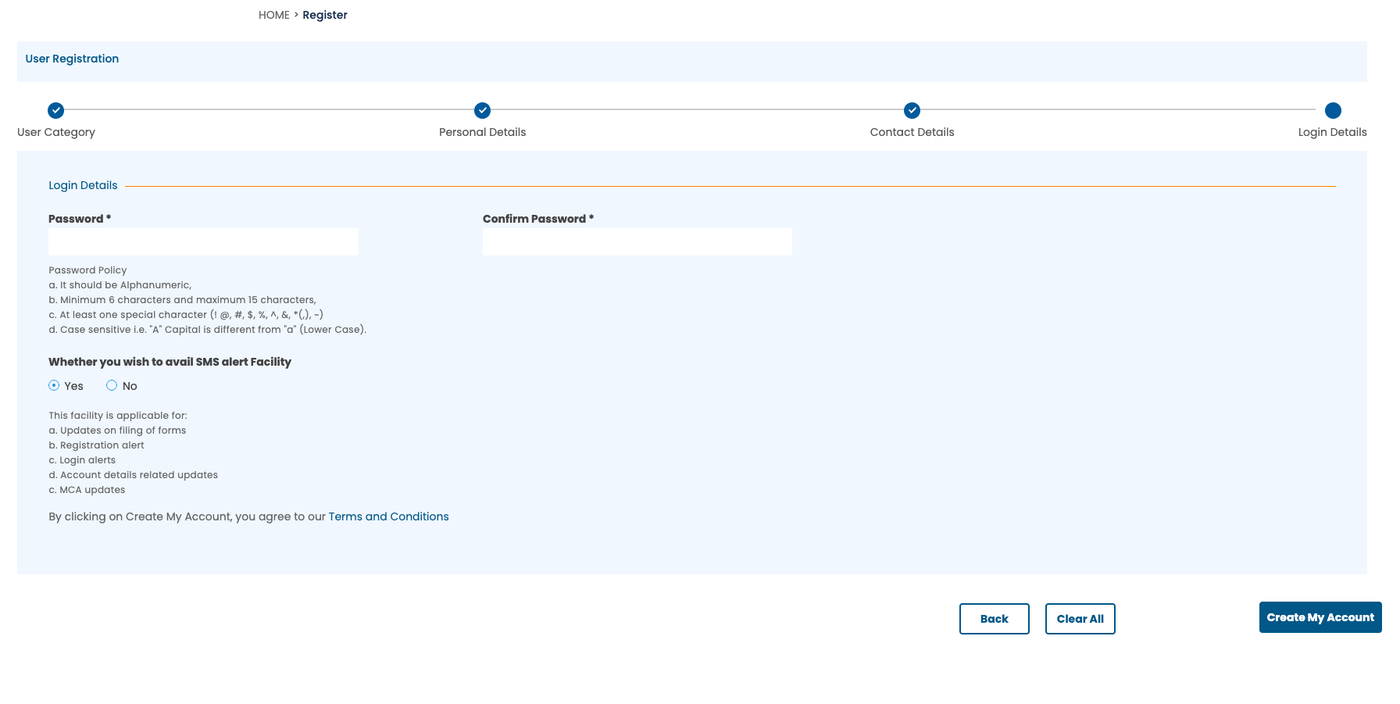
The Login Details tab. - Enter three OTPs. One to the company’s mobile, one to the company’s email, and one to the director. Each is four digits.
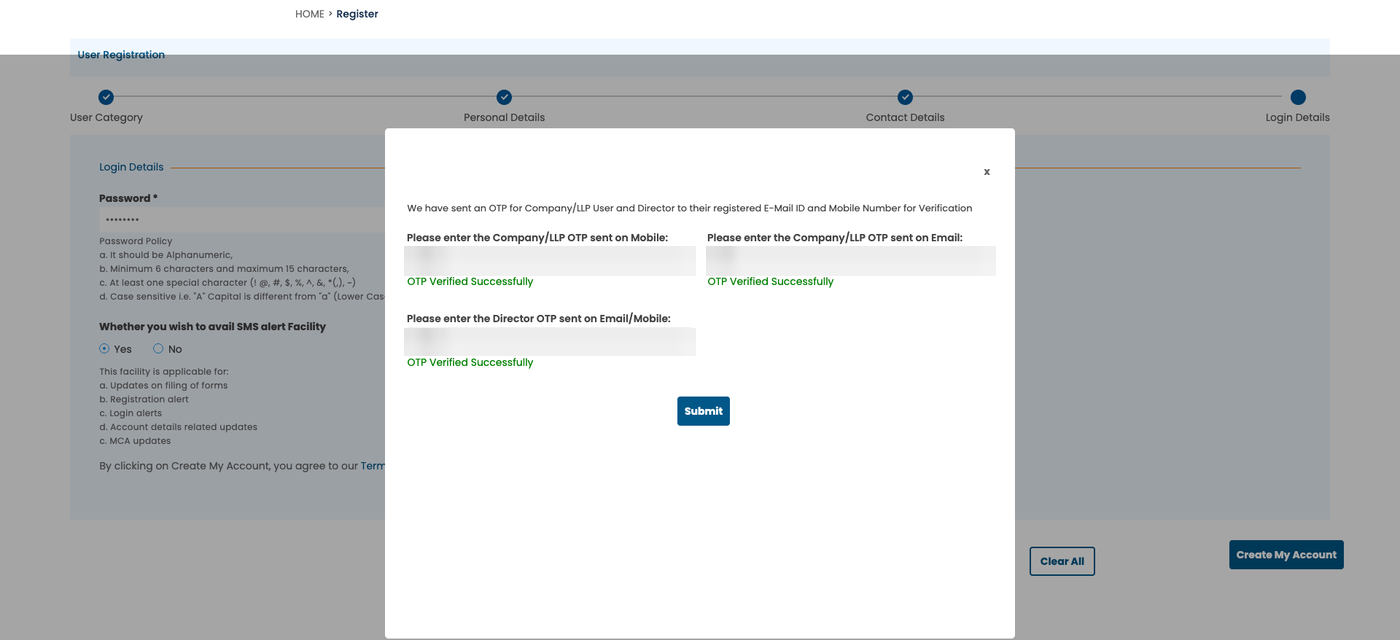
Three OTPs: the company’s mobile, the company’s email and the director. Details blurred. - Done. MCA shows “Congratulations!! You have been successfully registered on MCA portal as a Business user”, and emails that the username, the CIN, “has been created for you as a Business user”.
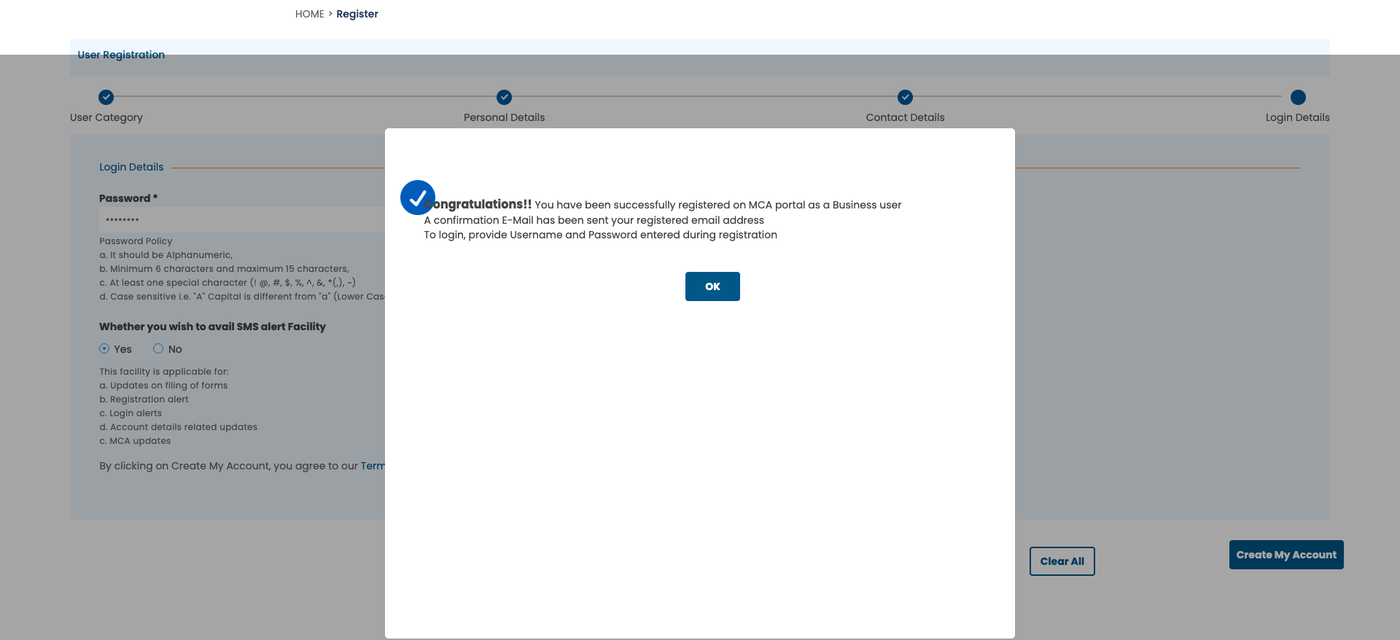
The confirmation.
Download every document of a company in one go, sorted into folders.
Add to ChromeFirst two companies freeFrom now on, the company logs in with its CIN and this password.
Company login or your own MCA ID?
The company login is the company’s own account. Directors, company secretaries and professionals each have their own MCA ID as well, with their email as the user ID: how to make an MCA ID. To look at or download any company’s public documents, your own Registered User ID is enough: how to download company or LLP documents from MCA.
Download every document of a company in one go, sorted into folders.
Add to ChromeFirst two companies freeFAQ
What is the user ID for a company on MCA?
A company’s user ID on MCA is its CIN, the Corporate Identity Number, and an LLP’s is its LLPIN. It is not an email address; MCA’s login box says so. The CIN works as the user ID only after the company has been registered on MCA as a Business User.
Does a new company get an MCA login automatically?
A new company does not get an MCA login automatically when it is incorporated. Someone has to register it as a Business User with the role Company/LLP, using its CIN and PAN. Until then, MCA does not accept the CIN as a user ID.
How many OTPs does MCA need to register a company?
Registering a company on MCA needs three OTPs, each four digits: one to the company’s mobile, one to the company’s email, and one to the director chosen on the Contact Details tab. Each one must show “OTP Verified Successfully” before you can submit the form.
Is registering a company on MCA free?
Registering a company’s login on MCA is free. There is no fee at any step of the Business User registration: you need only the CIN, the company’s PAN, its mobile and email, and a director to receive one OTP. MCA charges only for services used afterwards, such as viewing another company’s documents.
Sources: MCA’s login and registration pages, walked through on mca.gov.in while registering a new private limited company. ROCwork is a product of Consara Technologies Private Limited and is not affiliated with the Ministry of Corporate Affairs.